+ const next = await build();− const next = build();Before the commit.
Inspect uncommitted local edits before committing or pushing. Let your companion take a look while the context is still fresh.
DevPulseVS CODE EXTENSIONInstall DevPulse ↗Your code has a story. DevPulse helps you review the next chapter—with a local-first code guard, staged-change checks, and a companion in your editor.

From uncommitted edits to staged additions, DevPulse brings the next check into your workspace.
+ const next = await build();− const next = build();Inspect uncommitted local edits before committing or pushing. Let your companion take a look while the context is still fresh.
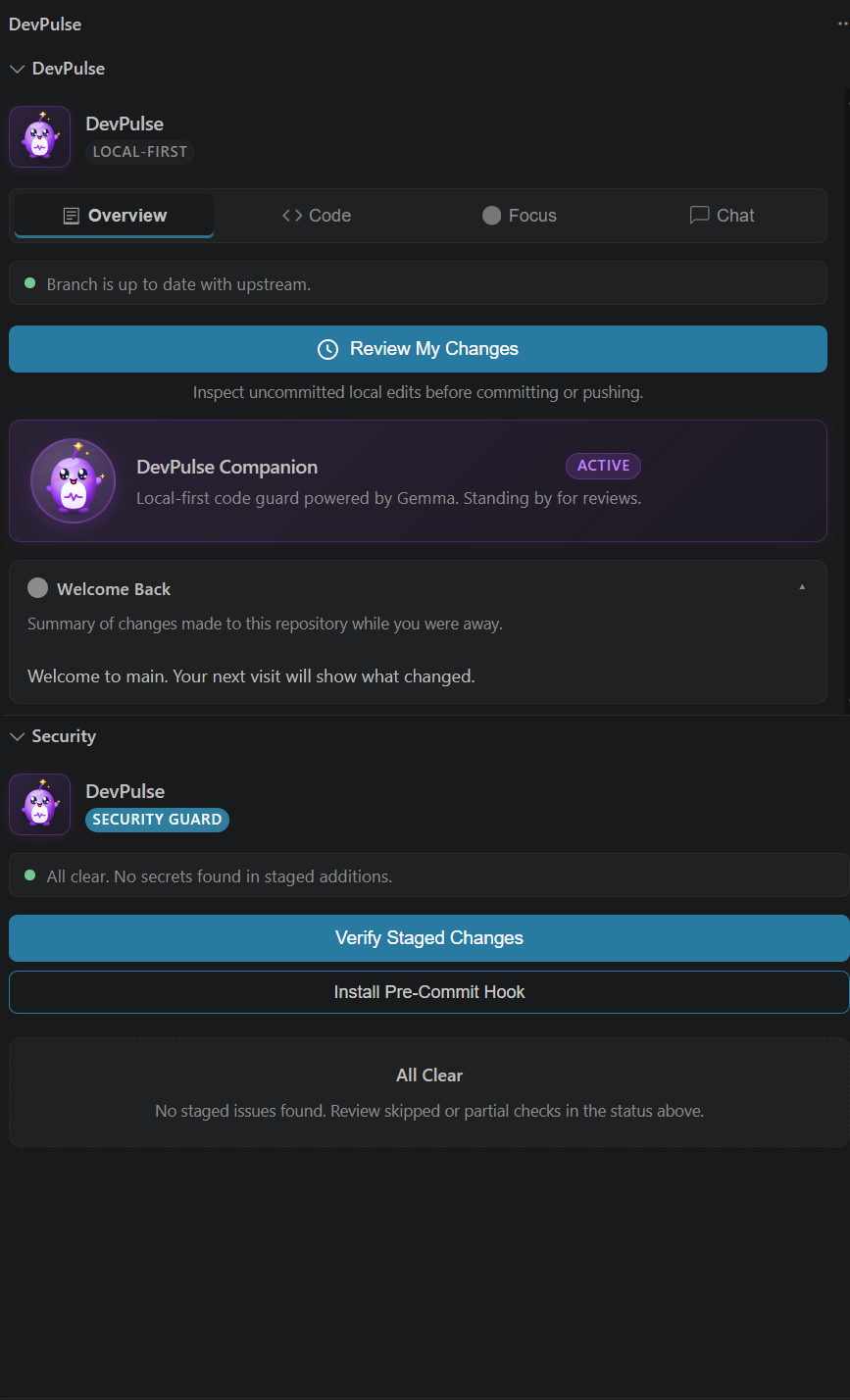
Spot possible hardcoded credentials in staged additions, inspect the warning, and access the Auto-Fix Secret action. Add a pre-commit hook for the next check.
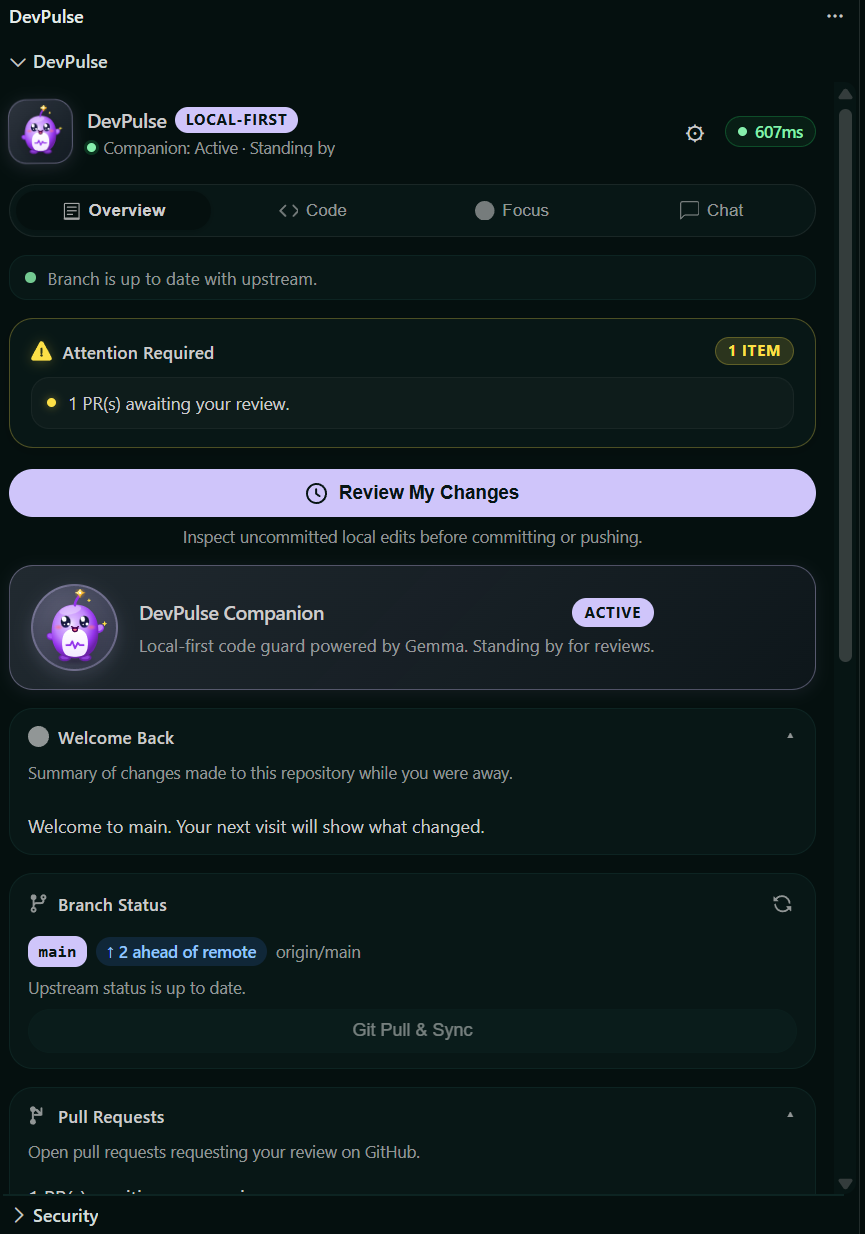
The Welcome Back panel brings a summary of repository changes made while you were away into view.
The security warning is an actual extension screenshot. Review and context illustrations are simplified.

Meet the DevPulse Companion: a local-first code guard powered by Gemma. Review a file, ask a question, or check in on your focus without leaving VS Code.
Make your changes.
Review before committing.
Verify what you’ve staged.
Review reminders, branch status, and a welcome-back summary—all alongside your companion.
01 / 05DevPulse is a VS Code extension with a local-first, Gemma-powered code companion. Its interface brings together local change review, active-file analysis, focus tracking, code chat, staged-change verification, secret warnings, and repository context.
Open DevPulse in VS Code ↗, then select Install in the extension view. Your browser may ask permission to open Visual Studio Code. VS Code must be installed on your computer.
Yes—the product screenshots show the supplied DevPulse interface. Explore the Overview, Code, Focus, Chat, and Security screens in the gallery. The review and context illustrations are simplified representations.
The extension identifies its companion as a local-first code guard powered by Gemma. Check the extension details in VS Code for setup, model requirements, and data handling information.
Open Visual Studio Code, go to Extensions, and search for munanno.devpulse-Yahu. Select DevPulse to view its details and install it.
Open in VS Code. Make yourself at home.